Define the job of each asset
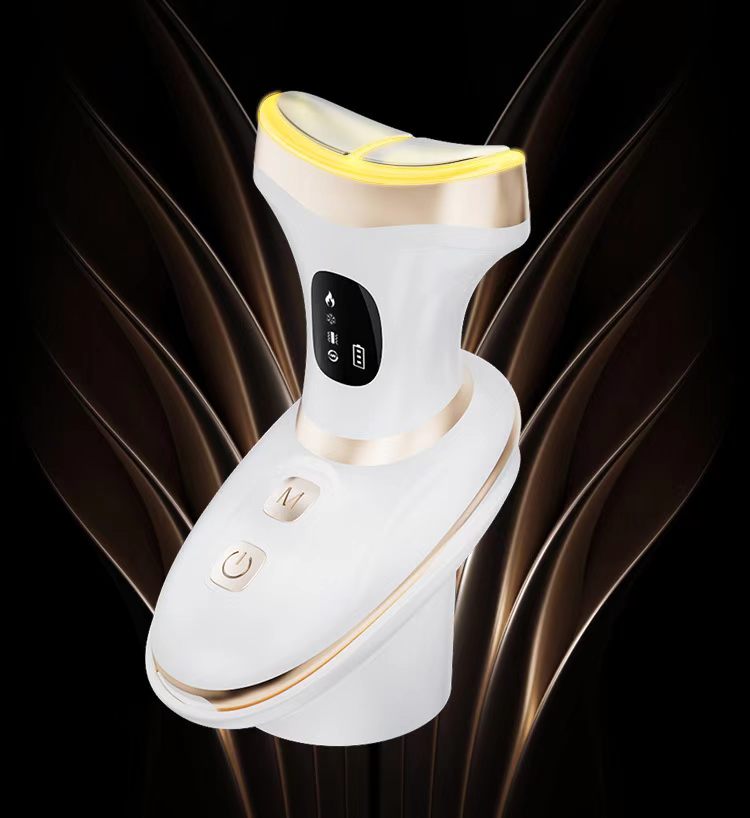
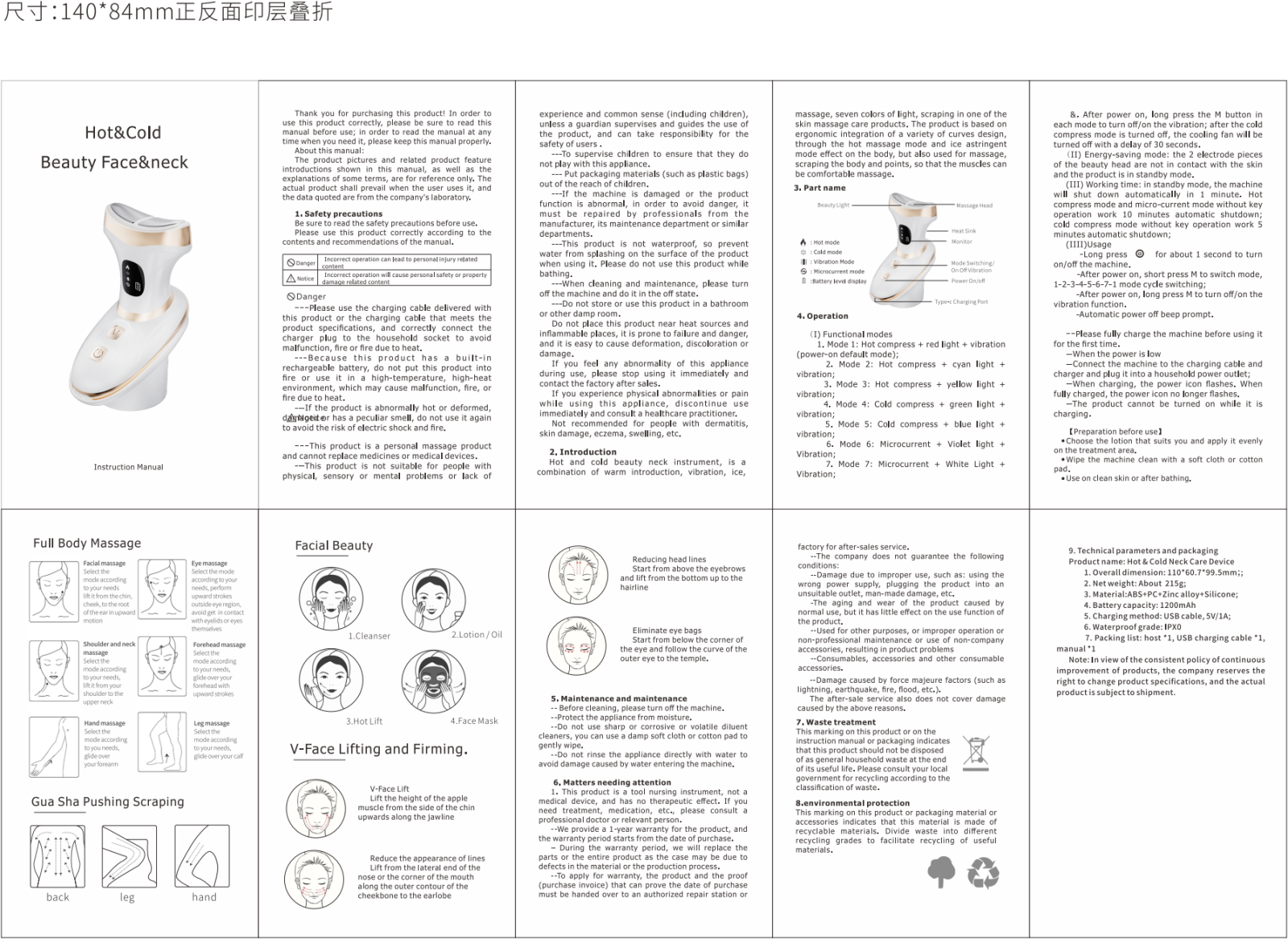
A white-background product photograph helps the buyer see the device and its controls. A mode chart explains the available settings. A short operation video can demonstrate a specific action. The manual provides the complete instructions and precautions.
These assets should complement one another. A brief demonstration should not be presented as a replacement for reading the approved instructions.
IBORRIA's public website includes a manual entry point and educational articles alongside its retail products. That illustrates a useful distinction for a sourcing brand: customers need information after the initial product comparison as well as before purchase. Public navigation alone does not establish the quality or completeness of those resources.
Build the content from approved questions
For a multifunction handheld device, begin with practical questions: How is it switched on? How are modes selected? What do the indicators mean? What behaviour is expected during standby? How is it charged and cleaned?
The DYM-065 manual supplied by Polywell provides a concrete starting point. It describes mode selection and vibration control, states that the device cannot be switched on while charging and identifies it as not waterproof. Those are operational details to explain clearly in the final materials.
Verify the demonstration against the manual
Polywell has supplied product photographs, an English manual and a video file for the current DYM-065 discussion. Before treating a video as an approved customer tutorial, review its actual content against the manual and selected configuration. Confirm that it shows the correct controls, accessories and operating conditions.
Where a proposed routine includes a cosmetic product, confirm the pairing separately. Do not imply universal compatibility through a demonstration or an image.
Keep one version list
Record the device model, configuration, manual version, approved photographs and video version in a shared list. When a control, accessory or instruction changes, identify which customer materials also need review.
Ask the supplier which existing assets are available for your model and whether branded editing, subtitles or additional demonstrations form part of the quotation. Receiving an asset does not by itself establish permission for every proposed use; agree the scope for the project.
Share your selected device, destination market, languages and launch channels with Lumiyan to discuss the supporting materials to review.
Discuss product education materials
https://lumiyan.com/contact.html
Sources: IBORRIA website
https://iborria.com/ and manual entry page
https://iborria.com/pages/user-manual, reviewed 14 November 2026; DYM-065 manual and files supplied by Polywell. No competitor performance or supplier relationship is inferred.